Products
Follow Us
| 
| Remote Queue Manager screenshots
Some windows of print job manager |
You can see more screenshots on the what's new page.
- RQM main window - intarface with print folders
- RQM resources page window - work with ports
- RQM resources page window - work with drivers
- RQM resources page window - work with port monitors
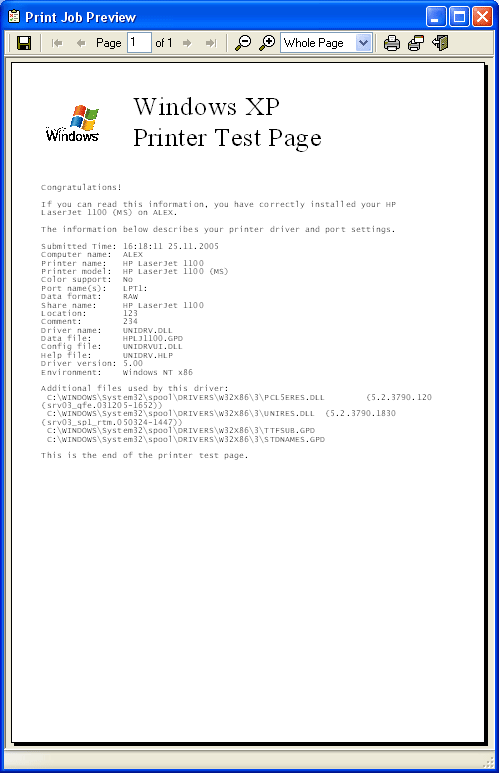
- Document Preview window
- Print job properties window
- Windows queue window with PostScript print jobs
- RQM queue window with PostScript print jobs
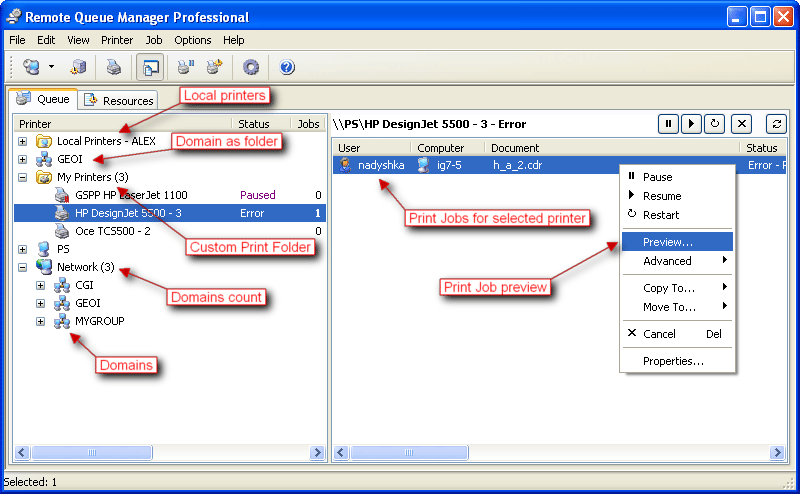

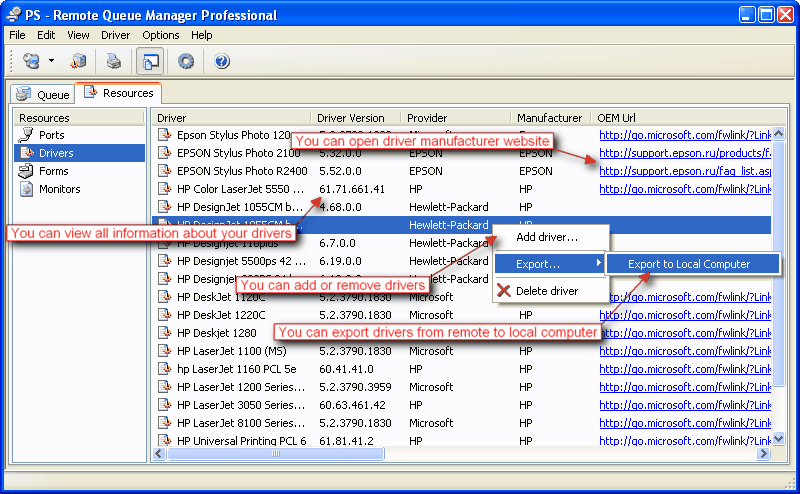
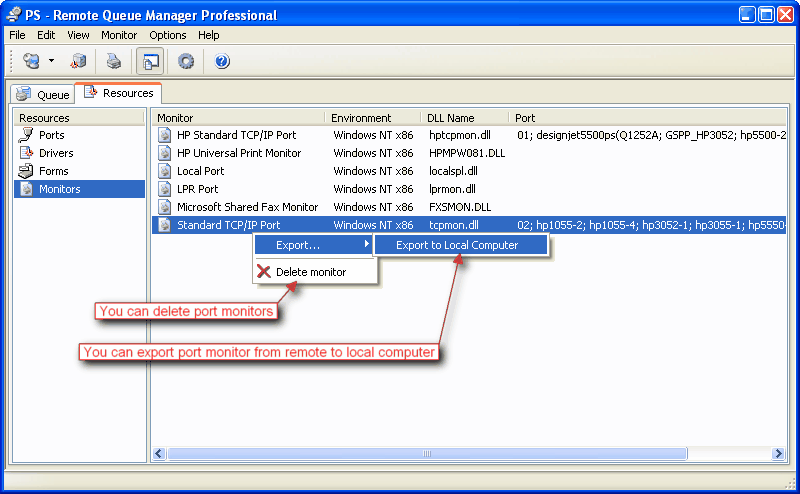
Document Preview window
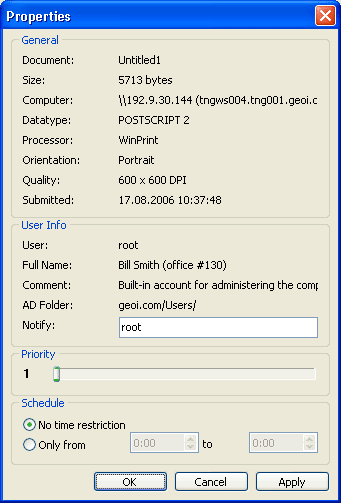
Print job properties window
You can see advanced user info such as Full Name, Comment and Active Directory path.
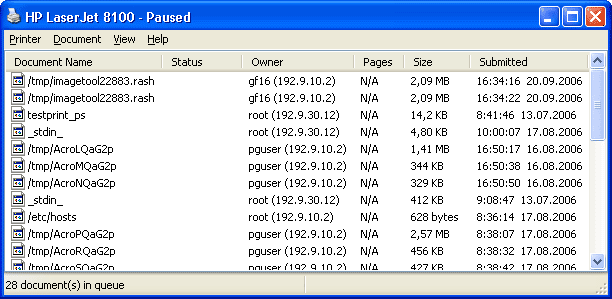
Windows queue window with PostScript print jobs from Linux, MAC, Solaris and other unix like systems
You can't see Document name, Computer, Pages, Copies and other print job properties.
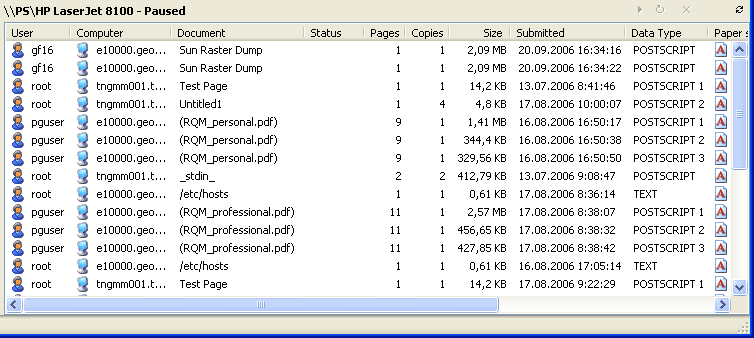
RQM queue window with PostScript print jobs from Linux, MAC, Solaris and other unix like systems
With Remote Queue Manager you can see Document name, Computer, Pages, Copies, Data Type and other print job properties.
 | Information
| Version: 6.0
| | Date: January 16, 2020
| | OS: (32 and 64 bit)
|
Windows 7/8/10
Windows Server 2008/2012/2016
| |
HDD: less than 8 MB
Buy Now
Upgrade Now
Get Discount
Download (5.79 MB)
Download (mirror)
Download page
License Agreement
How to Uninstall a Program
Screenshots
What's New
Version History
Supported Languages:
|
English, Arabic, Armenian, Czech, French, German, Greek, Italian,
Polish, Portuguese Brazilian, Japanese, Russian, Spanish
Translate and get free registration
|
 |