PropertyEditor - Quick Tour
Program features tour
Main Features:
Context menu features
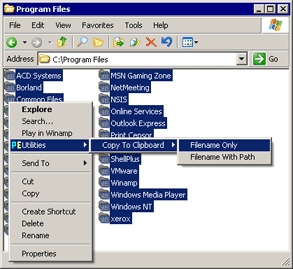
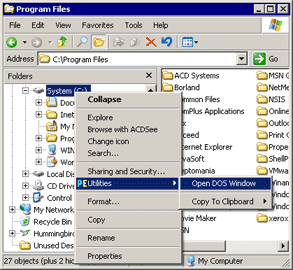
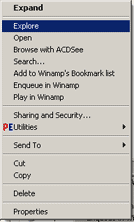
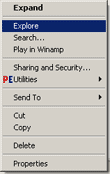
PropertyEditor adds in the contex-menu of an explorer some useful items:
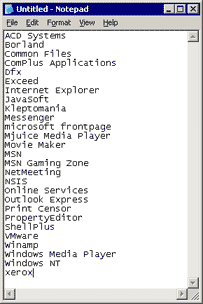
Now you can easily copy the selected files and to insert this list in Notepad.
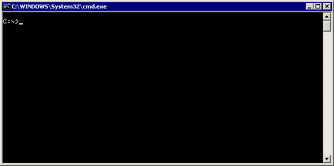
Also you can open Command Window for any directory or a disk.
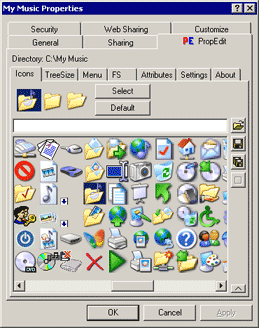
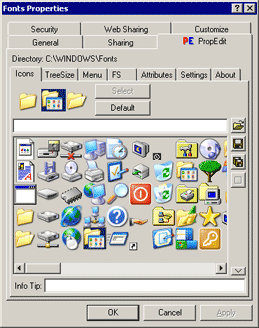
Customizing Icons
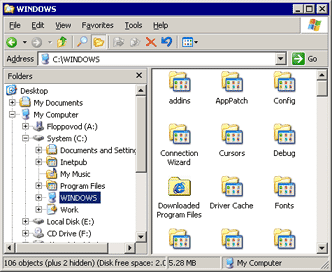
PropertyEditor allows you to customize desktop icons of each folder and drive you choose.
Assign meaningful icons to important folders. Break rows of uniform folders with tailored
icons while alleviating visual monotony and increasing your productivity.
Also you can customize default icons for all opened and closed folders!
Folder Size
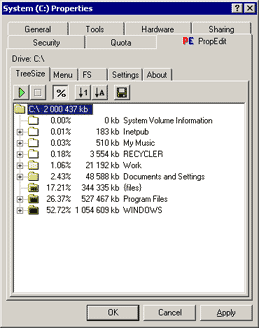
No matter how big your hard drive, it will fill up eventually.
Windows Explorer isn't much help. It will tell you the size of all selected files in
a folder, but nothing about the files in that folder's subfolders.
PropertyEditor allows you to create detailed reports about the contents of any drive
or folder on your PC. This information helps you analyze usage of your hard drives and
keeps your data well organized.
Customizing Explorer Menu
Today many programs add their own items to the contex-menu of an explorer.
After a while the menu expands and to use it begins inconveniently because of the big number of items.
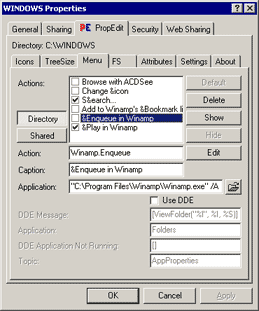
Using the PropertyEditor you can change, add or remove some items from context-menu and menu becomes more
convenient for use. |